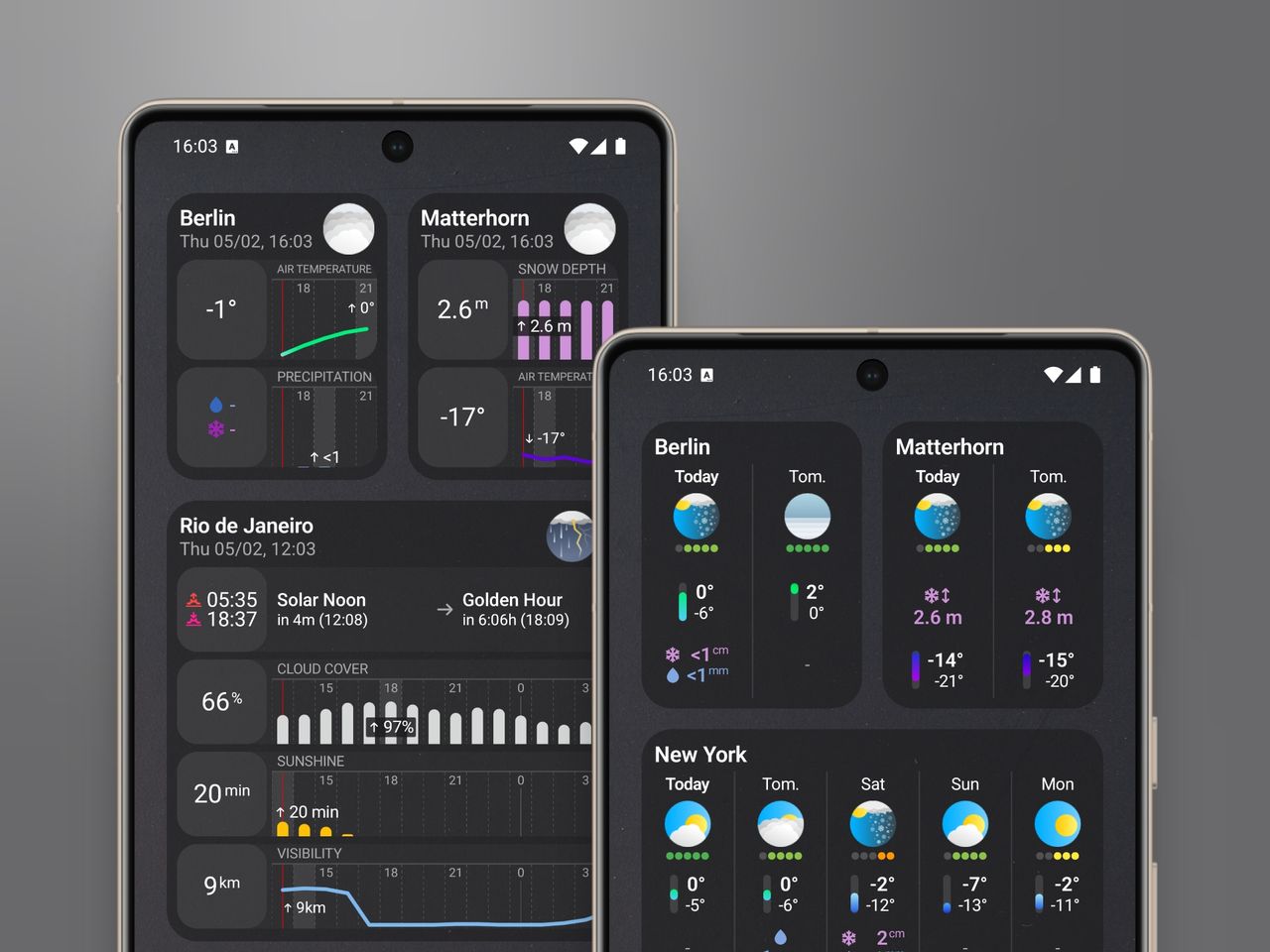
Android users, your widgets are here.
Configurable Forecast & Weather Widgets are now available on Android — with features you won’t find in other weather apps. You can control how often your widgets refresh, customize their colors and transparency to match your home screen, and configure exactly which forecast variables appear.
If you can’t wait to try them, grab the update on the
There are three widget types, each designed for different needs.
This is the widget I reach for most often. It shows current conditions and the next several hours of forecast data — exactly what you need to make quick decisions throughout the day. Should I grab a jacket before heading out? Will it still be dry when I get back from my run? Is it worth waiting an hour for the sun to come out? One glance at this widget gives you the answer.
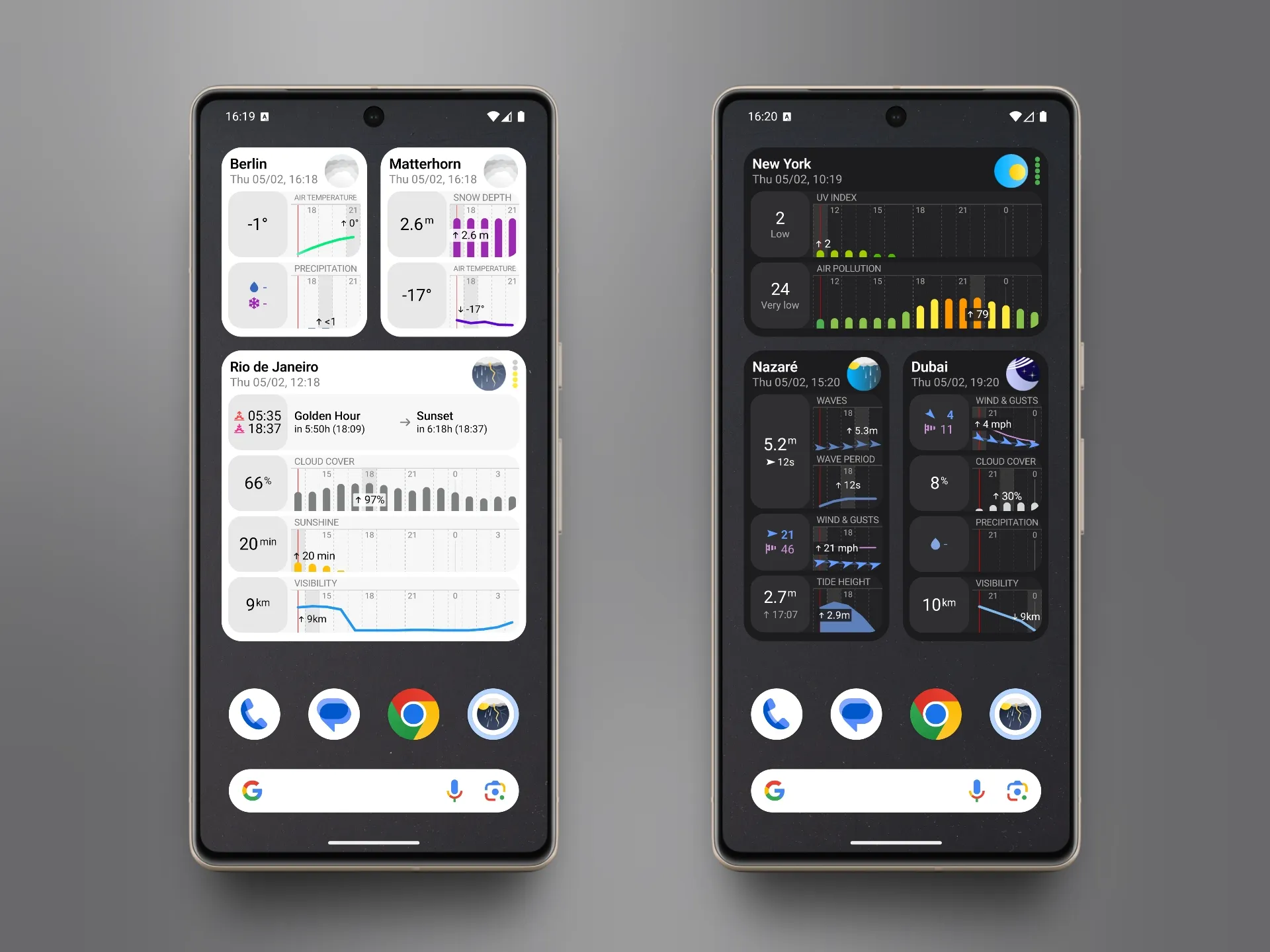
One widget, three different reports — photography, health, and surfing — each showing the data that matters most.
The widget displays different variables depending on which report you select in the widget settings. Choose the Photography report and you’ll see cloud cover, golden hour timing, and visibility. Switch to Hiking and you’ll get temperature, precipitation, and wind instead.
On Android, you can resize the widget freely — stretch it wider to see more hours, or make it taller to fit more forecast variables. The layout adapts automatically.
Tap anywhere on the widget to open a detailed forecast view inside the app, showing all the variables that didn’t fit on your home screen. From there, you can dive into daily forecasts and explore the full picture.
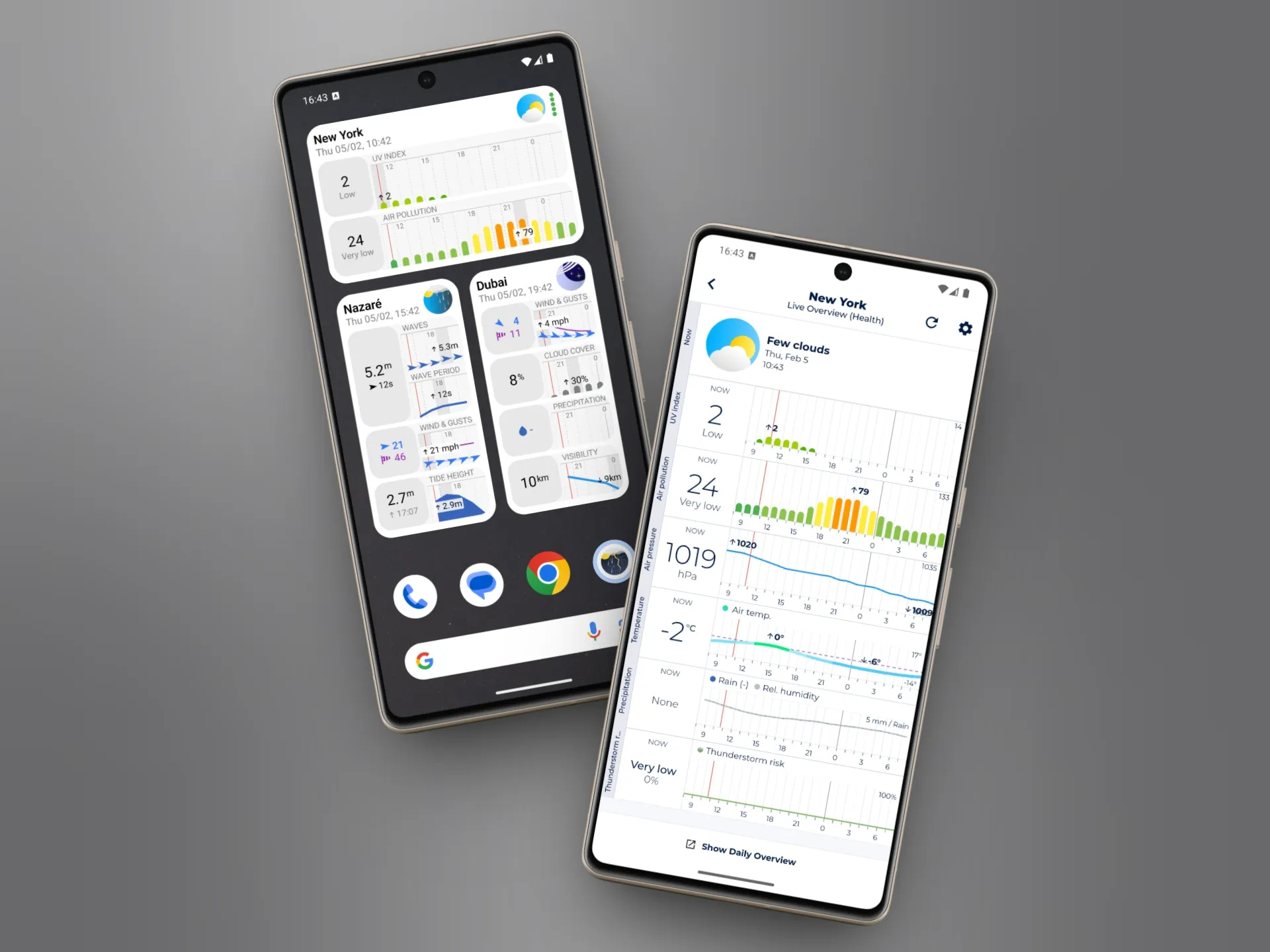
Tap any widget to instantly access the full hourly forecast inside the app.
For those who want more data at a glance, there’s an extended version of the Now & Next Hours widget.
It shows twice as many forecast variables — temperature, feels-like, precipitation probability, rain amount, cloud cover, wind speed, gusts, and more — all in one widget. The trade-off is fewer hours displayed, but if you prefer information density over time range, this is the widget for you.
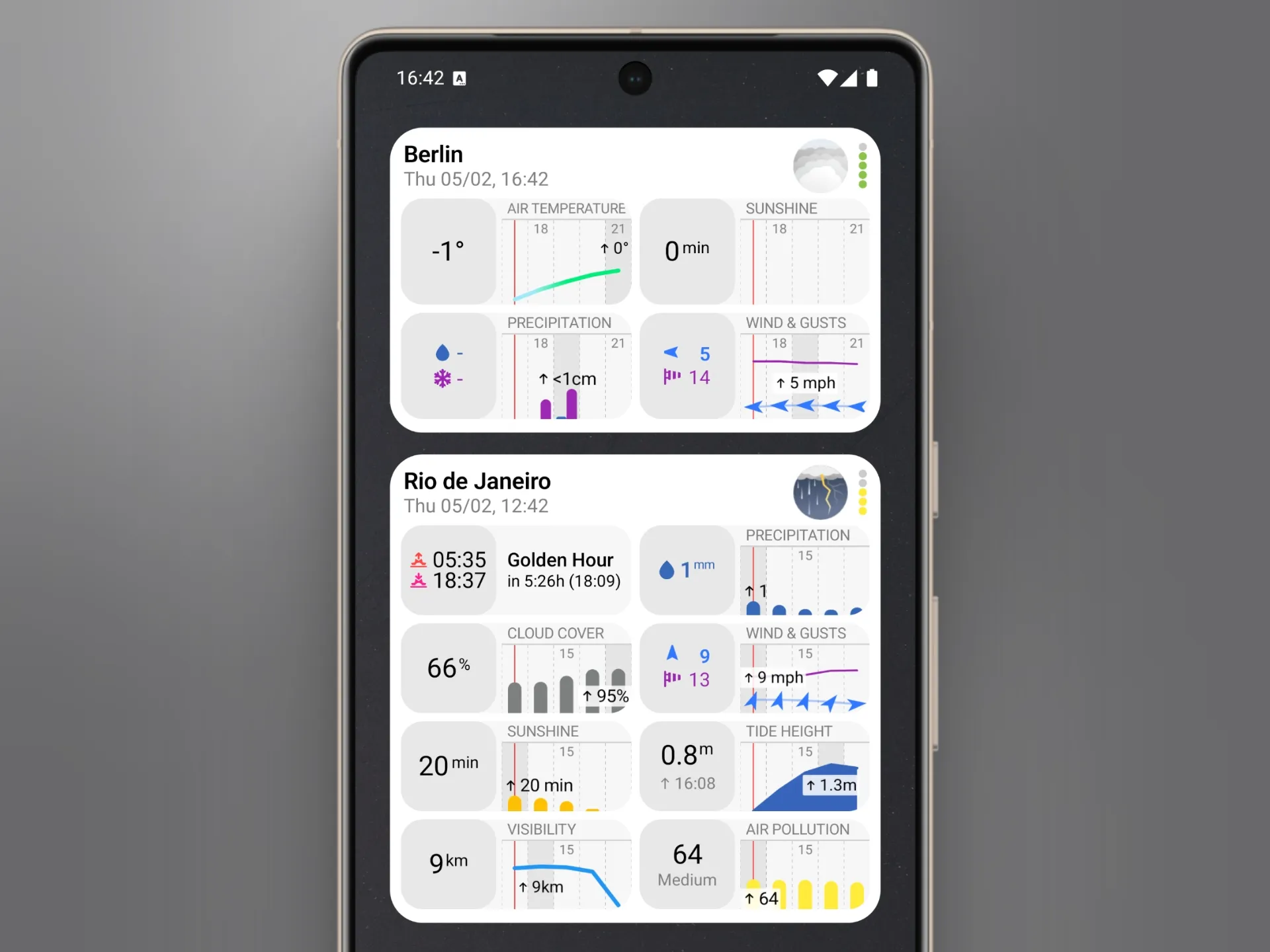
See twice as many forecast variables at a glance without opening the app.
The Now & Next Hours (Extended) widget is available to Enthusiast subscribers.
Planning a few days ahead? The Next Days widget shows daily forecasts for up to 6 days, giving you a quick overview of what’s coming.
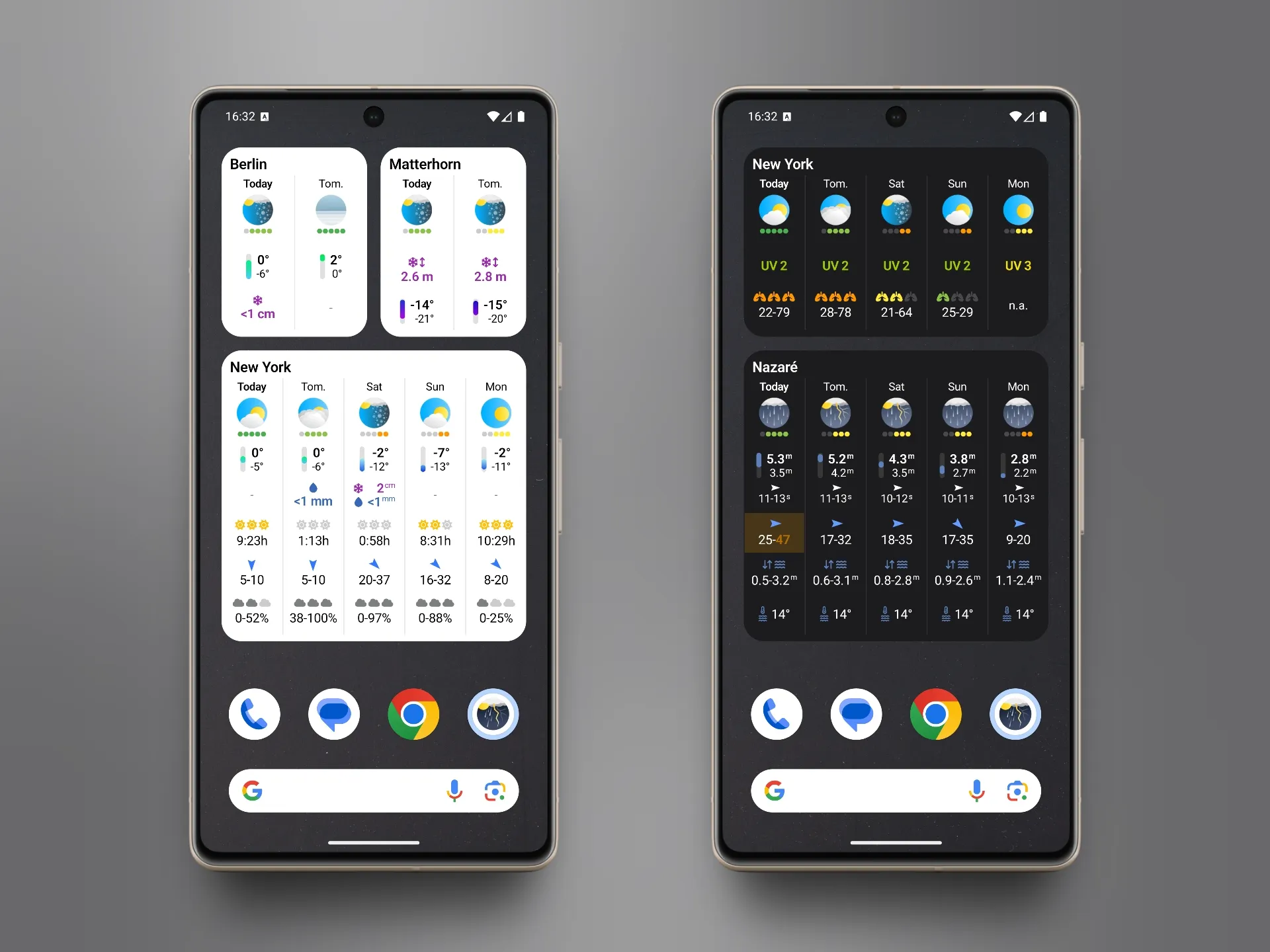
Plan your week with daily forecasts tailored to your activity — weather basics or detailed surf conditions.
Like the other widgets, the variables shown depend on your selected report. A surfer sees wave height and wind direction. A photographer sees sunrise times and cloud coverage. Everyone gets the forecast data that actually matters to them.
Tap on any specific day to jump directly to that day’s full forecast in the app. No extra navigation — you’re taken straight to the details.
Unlike platforms where widgets come in fixed sizes, Android lets you resize widgets however you want. Drag them wider to see more hours. Make them taller to show more variables. Shrink them to fit a corner of your home screen. The widget content adapts to whatever dimensions you choose.
Make your widgets look like they belong on your home screen. Choose from different color schemes and adjust the background transparency so they blend naturally with your wallpaper.
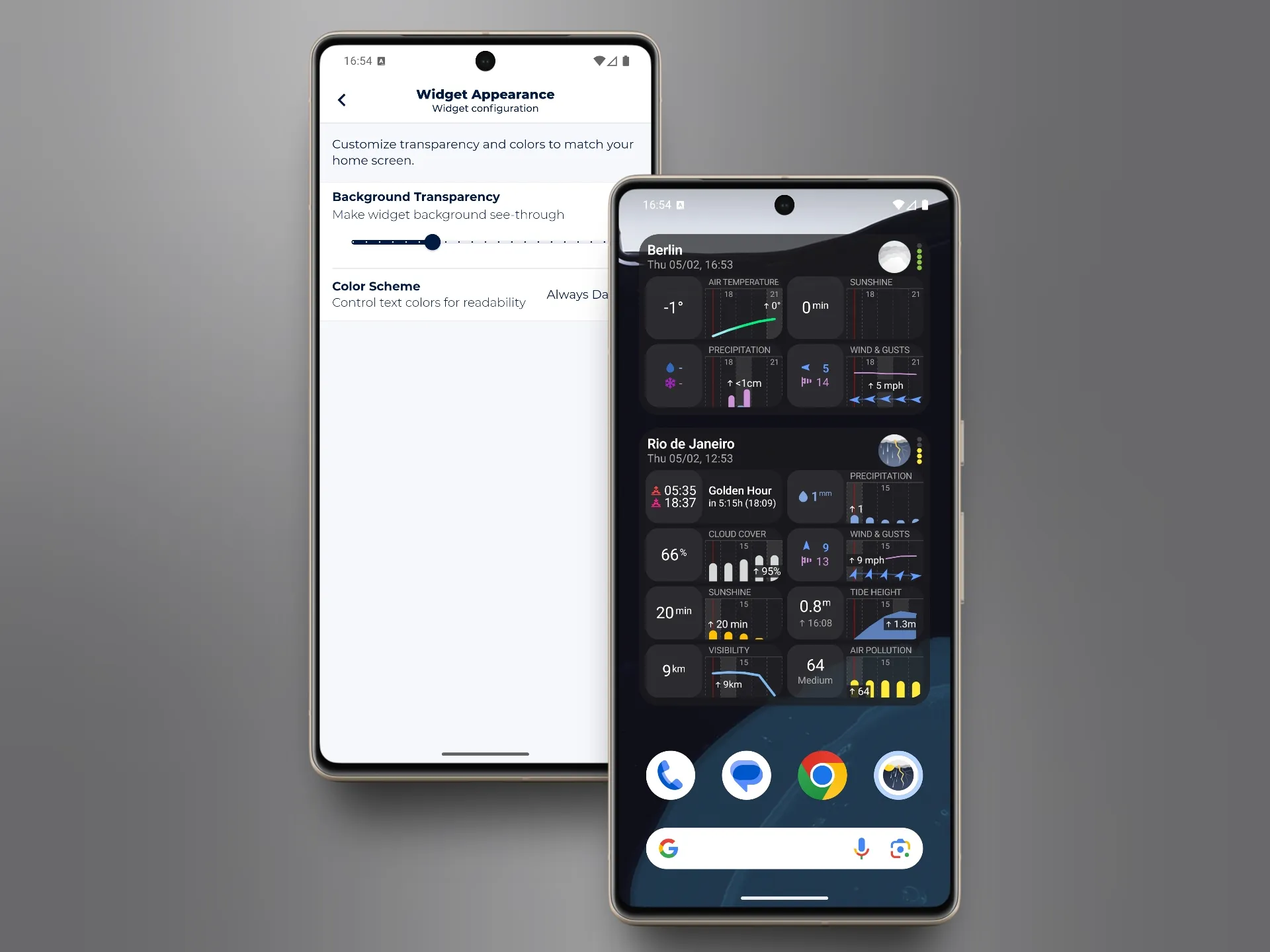
Adjust transparency and colors so widgets blend seamlessly with your wallpaper.
Control how often your widgets fetch fresh forecast data. Want updates every 15 minutes? You got it. Prefer to save battery with hourly refreshes? That works too. You decide the balance between freshness and battery life.
Widget styling and refresh intervals are available to Enthusiast subscribers.
Every widget can be configured individually. Long-press a widget, tap settings, and you’ll open a configuration screen in the app for that specific widget.
From there, you can:
This means you can have multiple widgets of the same type showing completely different information. One Now & Next Hours widget configured for hiking conditions, another for photography — both on the same home screen, both with their own settings.
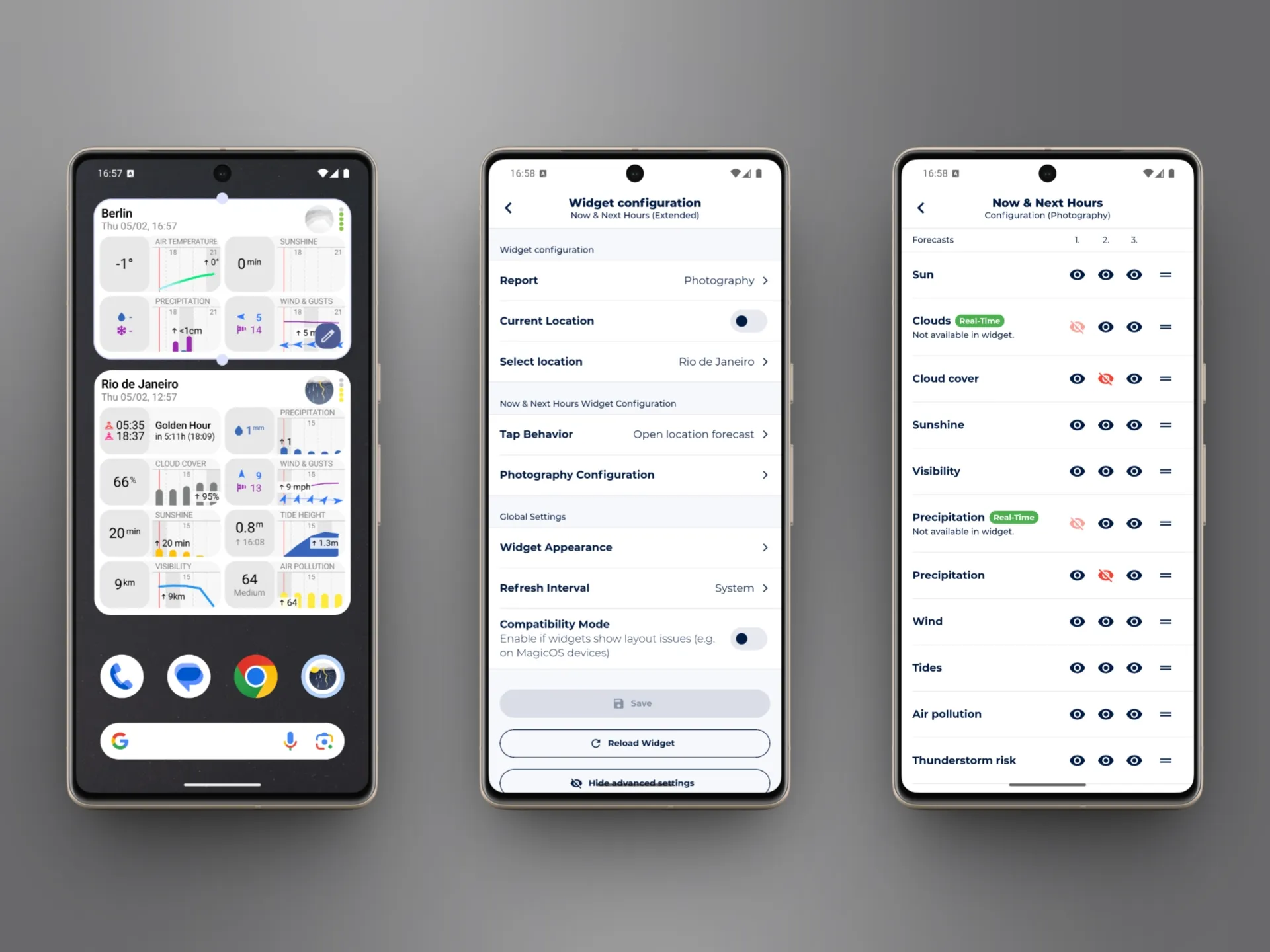
Toggle individual forecast variables on or off to build your perfect widget.
Widget configuration is available to Enthusiast subscribers.
Sonuby is built with Flutter, which means widgets require separate native code — in this case, Kotlin for Android. I had to write the forecast, location, and sync logic from scratch, which took about four months. Having already built widgets for iOS helped me avoid some pitfalls, but Android still had its own challenges to work through.
This update includes several other changes worth mentioning:
With widgets now available on both iOS and Android, my focus shifts to improving the overall user experience. Sonuby is packed with features, but I’ve heard from many of you that they’re not always easy to find. The next update will address that.
I’m also working on a fully configurable meteogram and a few other features I’m excited to share soon.
Thank you for your continued support of Sonuby. Your feedback is important to me — please share your thoughts and suggestions via the Sonuby Feedback Board.
If you’re enjoying Sonuby, please consider leaving a review on the
Julian