The best weather widget for Android is Sonuby if you want to choose exactly what your widget shows, Weawow if you want a free widget with no ads, and Overdrop if you want the most designs to pick from. If you own a Pixel or a Samsung phone, it already comes with a weather widget built in.
Sonuby is my app, so it comes first here. The other five are ranked by what their widgets can do, not by how popular the apps are. I installed the other five on a Pixel 8 in October 2026, set each to Newport, Rhode Island, and took the pictures below from their widgets.
| App | Best for | Widgets | Price (US Google Play) |
|---|---|---|---|
| Sonuby | Choosing which data your widget shows, with a report for each activity | 3 types, freely resizable, 9 reports | Free; ads and in-app purchases ($1.49–$89.99) |
| Weawow | A free widget with no ads | 14 styles, from 1×1 to full screen | Free; no ads; optional donations ($2–$50) |
| Overdrop | The most designs to pick from | 70+ designs, 12 animated themes | Free; ads and in-app purchases ($0.99–$104.99) |
| Today Weather | Clean widgets with many forecast sources | Clock, forecast, chart and radar widgets | Free; ads and in-app purchases ($0.99–$18.99) |
| YoWindow | The simplest forecast widget | Clock, today, weekly and 14-day widgets | Free; ads and in-app purchases ($0.99–$9.99) |
| 1Weather | The classic clock-and-weather look, in many fixed sizes | 10 fixed sizes, from 1×1 to 5×2 | Free; ads and in-app purchases ($0.49–$19.99) |
Google Play shows only the range of an app’s in-app purchases, not each price, and the range covers everything the app sells.
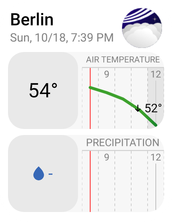
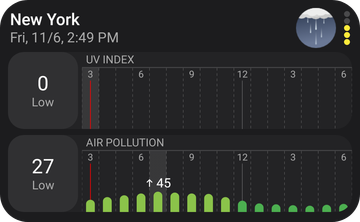
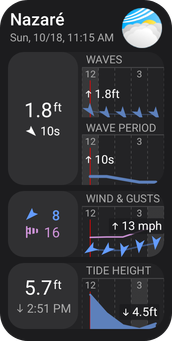
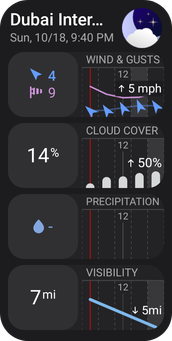
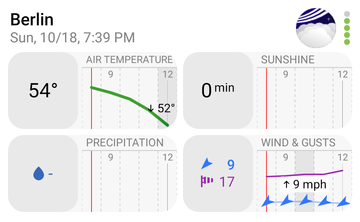
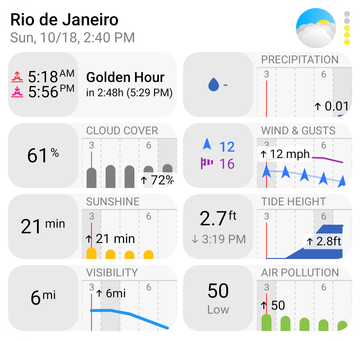
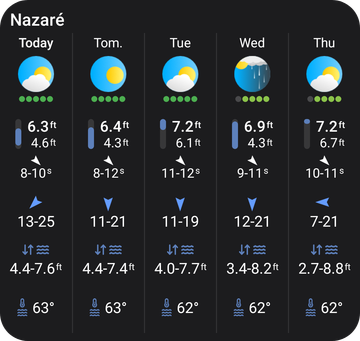
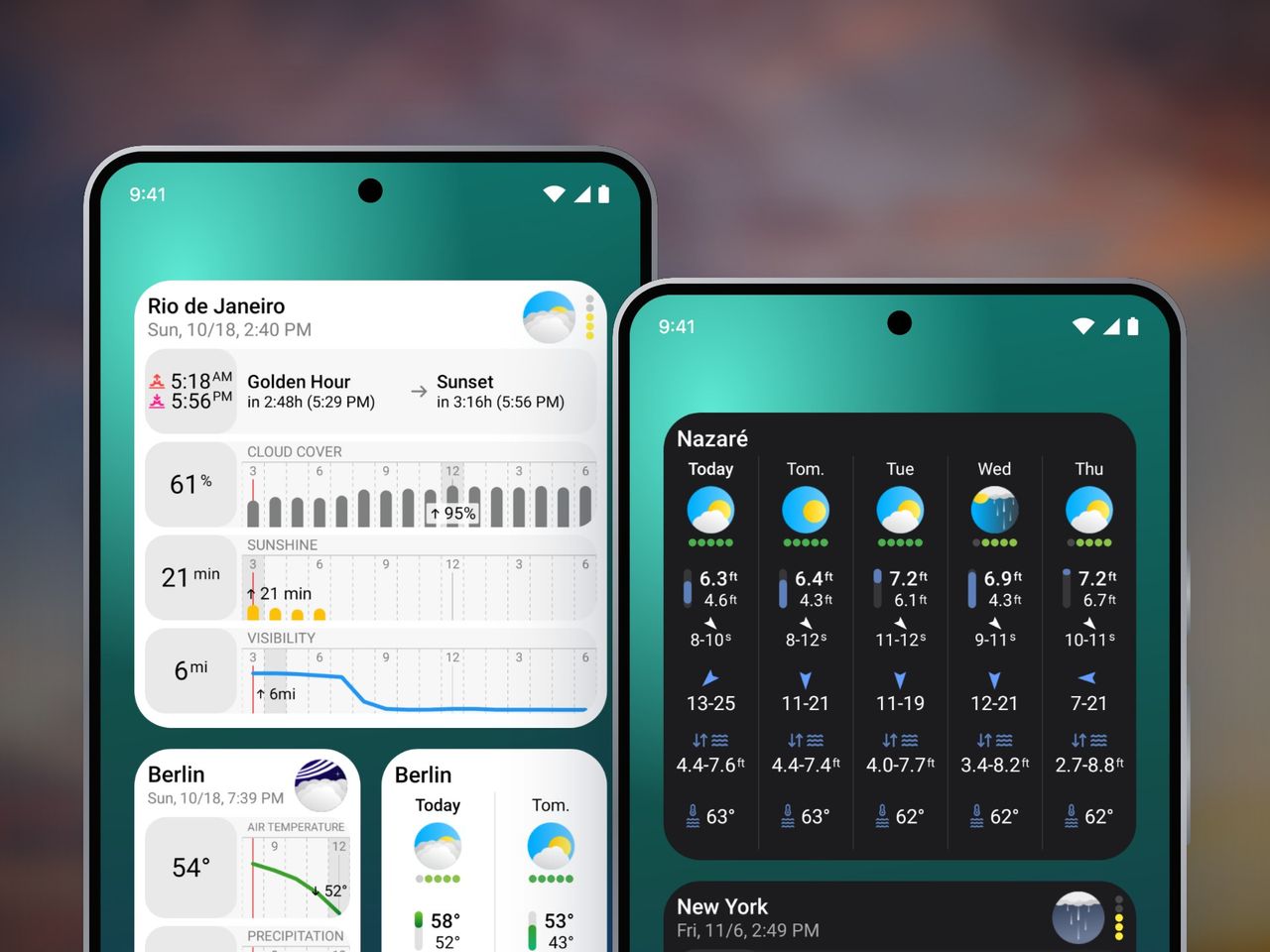
Sonuby’s widgets show the forecast for what you’re about to do. You pick one of 9 reports (Daily Life, Photography, Snow Sports, Surfing, Health, Sailing, Skydiving, Drone Flying, or Hiking & Climbing), and the widget shows that report’s data: waves and tides for Surfing, golden hour and cloud cover for Photography, UV and air pollution for Health.
There are three widgets:
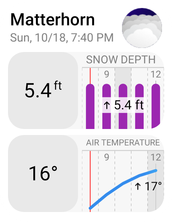
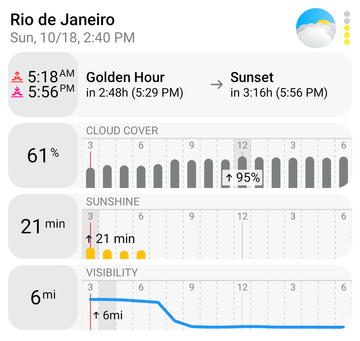
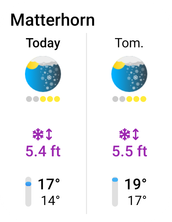
The Now & Next Hours widget shows the variables of the report you pick: snow depth for the Matterhorn, golden hour for Rio, waves and tides for Nazaré. The three-row sizes, like Rio’s, need Enthusiast.
Each widget on your home screen has its own place, report and settings, so one can show the hiking forecast for the mountains and another the surf at your local beach. Tapping a widget opens the matching forecast in the app, with everything that didn’t fit on the home screen.
The Now & Next Hours and Next Days widgets are free up to two rows tall. The Enthusiast subscription unlocks the rest:
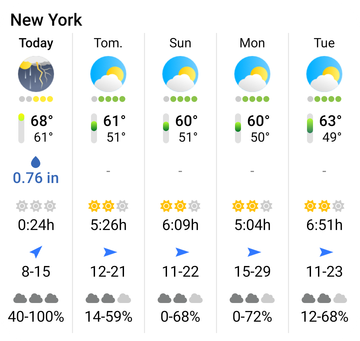
The Extended widget shows twice as many variables, in two columns, for fewer hours.
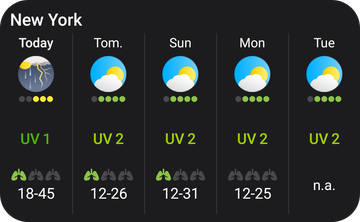
The Next Days widget shows the days ahead for the report you pick: UV and air pollution for Health, waves and wind for Surfing.
| Pros | Cons |
|---|---|
| 9 reports, each showing the data that matters for an activity | Larger sizes, the Extended widget and widget settings need the Enthusiast subscription |
| Choose and reorder the forecast values on each widget | The free version has ads |
| Refresh every 15, 30 or 60 minutes | Fewer visual designs than Overdrop |
| Tap a widget to open the matching forecast | |
| Available on Android and iPhone |


Weawow is the best free pick: no ads and no tracking, and every widget is free. It’s a one-person project, funded by donations, and it won a WMO International Weather Apps Award in 2020.1 It’s also the best-rated app on this list, at 4.9 stars from more than 750,000 ratings.
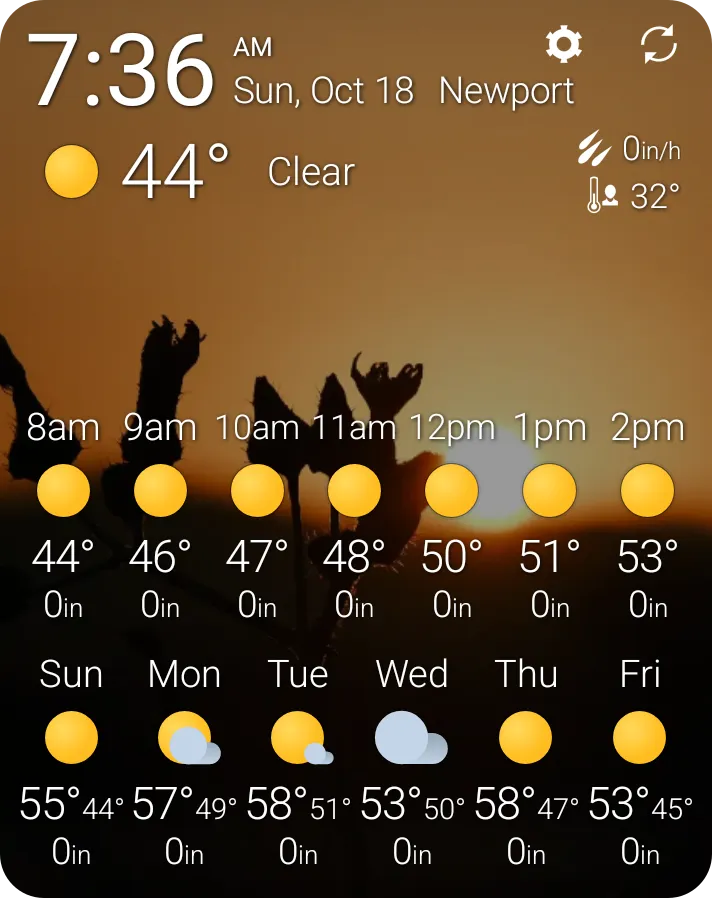
Weawow’s “WOW0, Photo” widget fits the current weather, the next hours and the next six days into one widget, over a photo.
There are 14 widget styles, from a 1×1 tile to a full screen: current weather, today, hourly, daily, graphs and clocks. You choose which data each widget shows, such as wind, UV or air quality. A donation, one-time or monthly, unlocks forecasts from AccuWeather and Foreca, but the app works fully without one.
| Pros | Cons |
|---|---|
| No ads, no tracking, every widget free | AccuWeather and Foreca forecasts need a donation |
| 14 widget styles, from 1×1 to full screen | Busy photo backgrounds can make small text harder to read |
| You choose the data each widget shows | |
| Rated 4.9 from 750,000+ ratings |
Overdrop has the most widget designs of any app here: more than 70, plus 12 animated themes, one of them an AMOLED theme for OLED screens. You can change colors and icon packs to match your home screen.
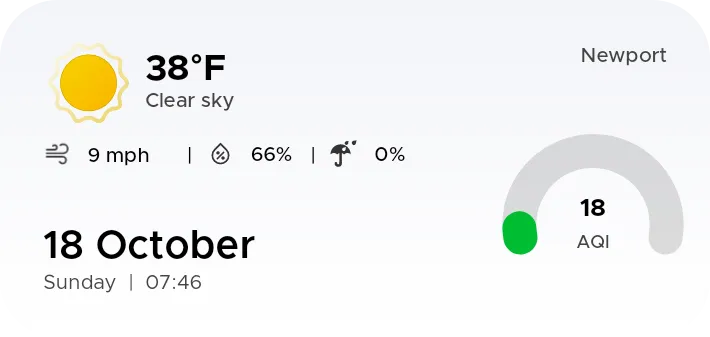
One of Overdrop’s free designs: a plain white card with the current weather, the date and air quality.
Most of those 70+ designs need Premium, though: each one shows a star, and the free ones are plain white cards like the one above. Premium is sold monthly, yearly or as a one-time lifetime purchase. Its forecasts come from OpenWeatherMap, Weatherbit and Foreca.
| Pros | Cons |
|---|---|
| 70+ widget designs | Most designs need Premium |
| 12 animated themes, AMOLED among them | The free version has ads |
| Premium as a one-time lifetime purchase |
Today Weather’s widgets are clean and easy to read, and its forecasts come from many sources: about 10 global forecast providers and 17 national weather services, NOAA’s among them. It offers clock, forecast, chart and radar widgets.
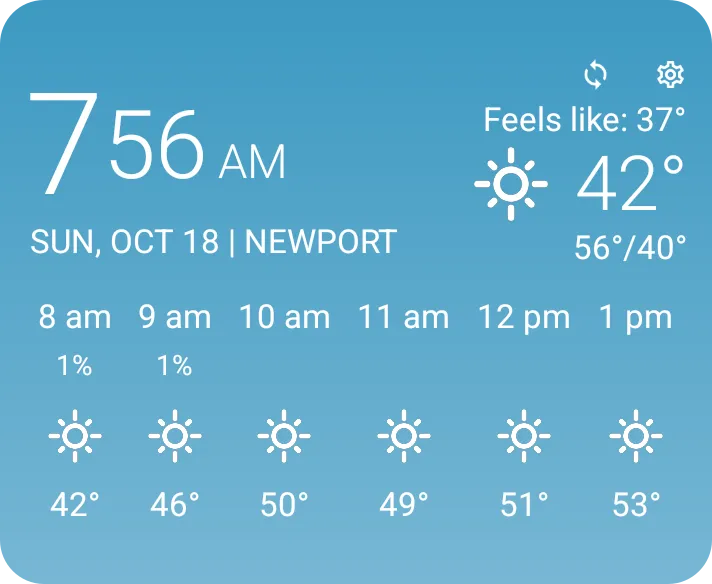
Today Weather’s “TW 14” widget: a clock, the current weather and the next six hours, with a background that follows the weather.
You can change each widget’s background color, text style and icons, or let the background follow the weather. The free version has ads; Premium is sold quarterly, yearly or as a one-time purchase.
| Pros | Cons |
|---|---|
| Clean, readable widgets | The free version has ads |
| About 10 global forecast sources and 17 national weather services | At the default font size, longer place names can get cut off |
| Background, text and icon settings | |
| Premium as a one-time purchase |
YoWindow has the simplest forecast widget here. Its ”- YoWindow - (4x2)” widget, which takes 3×2 cells on a Pixel, shows the next four days on top and the rest of today below, with nothing else to read. YoWindow is best known for the animated landscape in its app, which shows the weather and the time of day, but that landscape isn’t in its widgets.
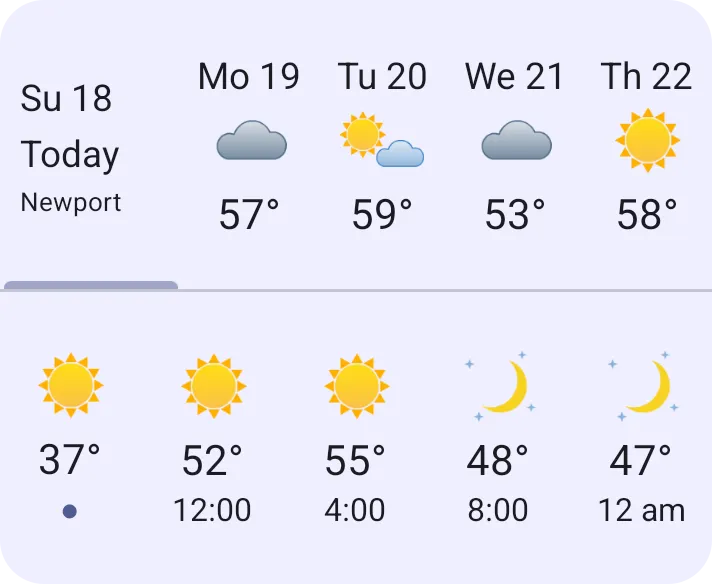
YoWindow’s ”- YoWindow - (4x2)” widget: the next four days on top, the rest of today below.
Its widgets include a clock with the weather, today, a weekly forecast and a 14-day forecast. They follow your phone’s theme, or take colors you choose. The free version has ads, and an upgrade that removes its limits is sold monthly, yearly or as a one-time purchase.
| Pros | Cons |
|---|---|
| Simple, uncluttered forecast widgets | The animated landscape is only in the app, not in the widgets |
| Clock, weekly and 14-day widgets | Few widget settings beyond colors |
| The free version has ads |
1Weather is the classic Android weather app, with more than 100 million installs, and its widgets come in 10 fixed sizes to pick from, from a 1×1 tile up to a 5×2 panel. Its clock-and-forecast widgets are the familiar Android look.
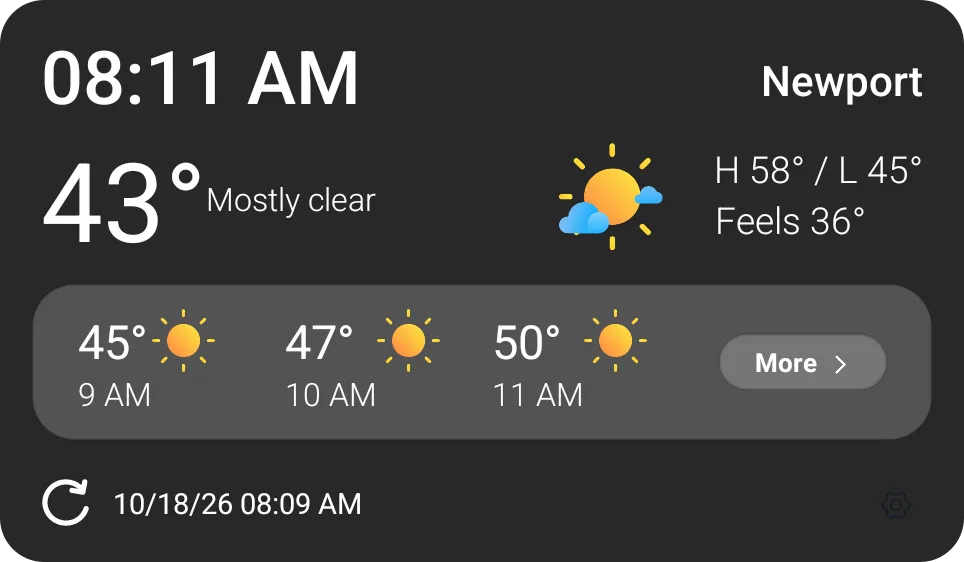
1Weather’s “1W Clock & Forecast” widget, with its background set to solid.
Dark and light themes are free, and you can set each widget’s background transparency. It starts out 70% see-through, and the slider reads the other way round from what you’d expect: 100% is a solid background. In the app, 1Weather shows minute-by-minute rain for the next 48 hours and a 10-day forecast. The free version has ads; removing them is a monthly or yearly subscription, with a free trial.
| Pros | Cons |
|---|---|
| 10 fixed sizes, from 1×1 to 5×2 | The free version has ads |
| Clock-and-forecast widgets | Removing ads is only sold as a subscription |
| Dark and light themes for free | The transparency slider is easy to misread |
Before installing anything, check what your phone came with.
Pixel Weather is free and has no ads. Both suit you if you want the temperature and the next days at a glance. If you want to choose what the widget shows, or a forecast for an activity, an app from the list above goes further.
If you install apps from outside Google Play, Breezy Weather is also worth a look: it’s free, open source and has no ads, and you get it from F-Droid or GitHub, not from Google Play.4
You can put several weather widgets on one home screen: one for the next hours and one for the days ahead, or one for each place you care about.
Pick Sonuby if you want the widget to show the data for what you do, Weawow if you want everything free with no ads, and Overdrop if the look matters most. Today Weather suits you if you care which forecast source you use, YoWindow if you want the simplest widget, and 1Weather if you want a classic clock-and-weather widget.
Sonuby is the best if you want to choose which data your widget shows, Weawow is the best free widget with no ads, and Overdrop has the most designs. Pixel and Samsung phones also come with a weather widget built in.
Weawow: it’s free, has no ads and no tracking, and every one of its 14 widget styles is free. A donation unlocks extra forecast sources, but the app works fully without one.
A weather widget is a small window of a weather app that sits on your home screen and shows the forecast without opening the app. On Android you can resize most widgets and place several on one screen.
Long-press an empty spot on your home screen, tap Widgets, find your weather app, then hold its widget and drag it onto the home screen. Long-press the widget again to resize it or open its settings.
To choose which forecast data a widget shows, use an app that lets you pick it, such as Sonuby or Weawow. To design a widget from scratch, layout and all, KWGT Kustom Widget Maker lets you build one yourself with weather data from several providers; it’s free with ads, and a Pro upgrade removes them.
It depends on the phone’s maker. Pixel phones come with Pixel Weather and Samsung phones with Samsung Weather, each with its own widget. Other makers ship their own weather apps, or none.
On Pixel phones, the weather widget now comes from the Pixel Weather app, whose own home screen widgets arrived in August 2025. On a Pixel, add one of Pixel Weather’s widgets from the widget list; on other phones, look for the weather app your phone came with.
Resources:
[2] Pixel Weather gets its own widgets, 9to5Google